
Sliding Puzzle Solver - Solve 3x3 to 9x9 Sliding Puzzles Online
What Is a Sliding Puzzle Solver?
A sliding puzzle solver takes the current arrangement of a sliding tile puzzle and works out the sequence of moves that turns it into the finished state, with the numbers running 1, 2, 3 ... left to right and the empty space at the bottom-right corner. You do not need to move any tiles yourself: just describe the board you are stuck on, and the solver produces the full move list and replays it for you.
This solver covers the classic 8-puzzle (3x3, tiles 1-8), the 15-puzzle (4x4, tiles 1-15) and the 24-puzzle (5x5, tiles 1-24), and it also handles the larger 6x6, 7x7, 8x8 and 9x9 boards. It runs entirely in your browser, so there is nothing to install and no sign-up.
How to Use the Solver
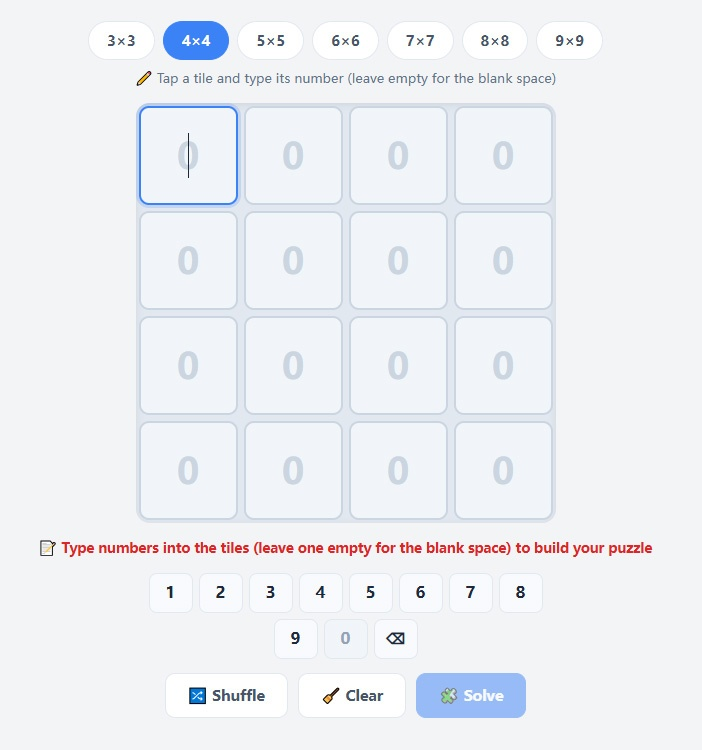
Pick a board size. Tap 3x3 up to 9x9 in the toolbar. The buttons line up with the puzzle you are holding: 3x3 for the 8-puzzle, 4x4 for the 15-puzzle, 5x5 for the 24-puzzle, and so on.
Enter your layout. Tap a tile so it is highlighted, then use the 0-9 keypad underneath to type its number. Tap an empty tile and press 0 to mark the blank space, or press the ⌫ key to clear a tile back to blank. You can also type straight into a tile with your physical keyboard and press Enter to confirm.
Check the status line. The solver keeps you informed as you type. It warns you if a number is repeated, if a value is out of range for the board size, or if the layout you entered can never be solved.
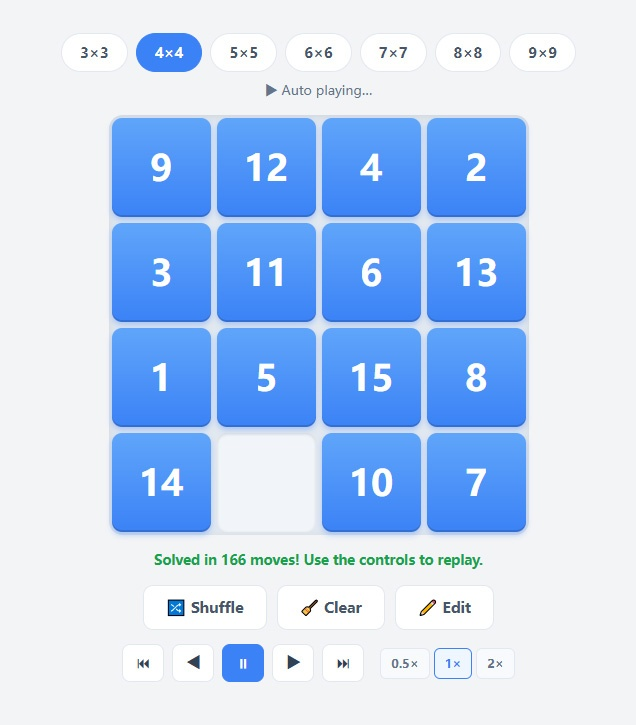
Press Solve. The solution appears on the board and starts playing through automatically, so you can copy the moves one by one.
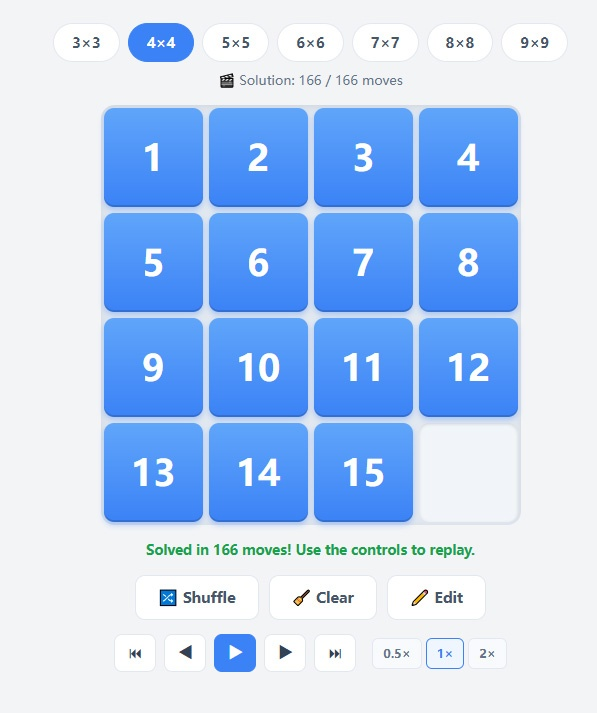
Replay at your own pace. Use the controls below the board to jump to the first or last position, step backwards and forwards one move at a time, play or pause, and switch between 0.5x, 1x and 2x speed. In replay mode the arrow keys also step through the solution and the space bar toggles play and pause.
Start over. Shuffle deals a random, guaranteed-solvable puzzle, Clear wipes the board for a fresh entry, and Edit takes you back to typing a new layout.
Which Layouts Can Be Solved?
Exactly half of all layouts are unsolvable, and no sequence of moves can ever fix them. This is a parity property of sliding puzzles: as the tiles move around the board, their inversion count can only change by an even number, so the puzzle can only reach arrangements with the same parity as the goal.
For a board with an odd number of columns, a layout is solvable when its inversion count is even. For an even number of columns you also have to take the row of the blank space into account - a rule first published by Sam Loyd's critics in 1879. The solver applies this check the moment you finish entering a layout and tells you right away, so you never waste time on a dead end.
If the solver reports that your layout is unsolvable, run your finger along the tiles and you will usually find two numbers transposed. Swapping any two numbered tiles - the blank does not count - flips the parity and makes the puzzle solvable.
How This Solver Works
The solver uses a human-style solving method rather than a brute-force search, and it is the same algorithm that powers the in-game Hint button in our Number Sliding Puzzle game.
It works from the top-left corner outwards, locking one row or one column at a time. Tiles are worked into their target positions with a small set of rotation routines, in the same way a person would solve the puzzle by hand, and each finished row or column is fixed in place before moving on. Because the search follows this predictable structure, it finishes in a fraction of a second even on a fully scrambled 9x9 board of 80 tiles, where exhaustive search would be hopeless.
One thing to be aware of: the solution it returns may not be the shortest possible. It is a smooth, easy-to-follow route that is typically only a handful of moves longer than the optimum. If you are specifically after a mathematically shortest solution, treat this as a reliable guide rather than a proof of optimality.
Tips for Solving Sliding Puzzles by Hand
Do not try to place every tile individually. Solve the top row first, then the left column, then shrink the problem to the remaining smaller square.
Use the "two-tile" trick for the end of a row. When you get to the last two tiles of a row, move them so the blank sits just under the corner and rotate them into place together rather than one at a time.
Never undo a finished row. Once a row is complete, leave it alone. Repairing damage later costs far more moves than it saves.
Learn one rotation pattern. A short loop that cycles three or four tiles around the blank is enough to reposition a tile anywhere without disturbing the part of the board you have already finished.
Timer pressure is optional. If a puzzle is taking too long, come back to this solver, enter the position you are stuck at, and follow the replay for the rest of the route.
Frequently Asked Questions
What is the difference between the 8-puzzle, 15-puzzle and 24-puzzle?
They are all sliding puzzles with one blank space. The 8-puzzle is a 3x3 grid with tiles 1-8, the 15-puzzle is 4x4 with tiles 1-15, and the 24-puzzle is 5x5 with tiles 1-24. This solver handles all of them, plus boards up to 9x9.
Can every sliding puzzle be solved?
No. Half of all possible arrangements are unsolvable, regardless of how long you play. The solver checks this instantly, and swapping two numbered tiles is enough to make an unsolvable layout solvable.
What is the minimum number of moves for a 15-puzzle?
The hardest 15-puzzle positions need 80 moves from the standard goal state, and finding that exact optimum is extremely expensive. This solver instead gives a clean, human-readable route, so do not treat its move count as the theoretical minimum.
Is the solution optimal?
Not guaranteed. The solver runs a linear, pattern-based method that is very fast and easy to follow, but it does not run an exhaustive shortest-path search.
Do I have to enter the numbers in order?
No, you can fill the tiles in any order. The solver reads the whole board when you press Solve. The only rules are that every number from 1 to n²-1 appears exactly once and the remaining tile is left as the blank.
Does it work on phones?
Yes. Tap a tile to select it and use the on-screen 0-9 keypad, which is designed for touch input. There is no app to download and everything runs locally in your browser.
Can this solve a 10x10 or larger puzzle?
The largest board offered here is 9x9. Beyond that the tiles and numbers become too small to read comfortably on a screen, though the same method scales to any size in theory.