



What Is L-Pair?
L-Pair is a polyomino tiling puzzle: you are given a tray of L-shaped and other polyomino blocks — shapes built from connected squares, like Tetris pieces — and you must rotate and flip them until they tile the entire board with no gaps and no overlaps. It is pure spatial reasoning, gentle to start and deeply satisfying to finish, free in your browser. You can play it two ways: a Normal Mode for relaxed level-by-level practice, and a Rank Mode 20-minute challenge with a leaderboard.
How to Play L-Pair
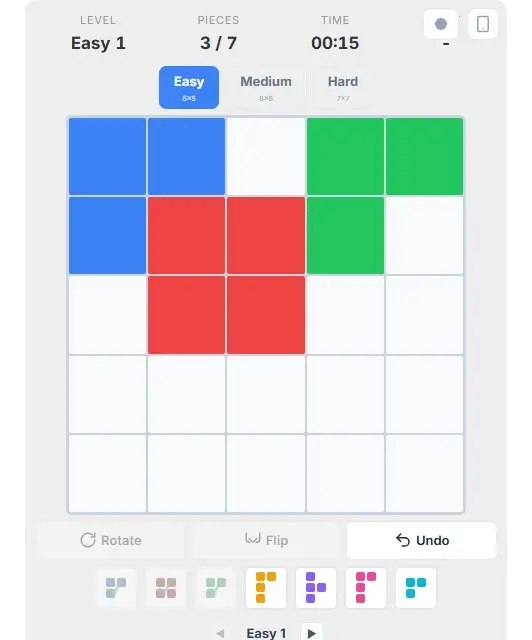
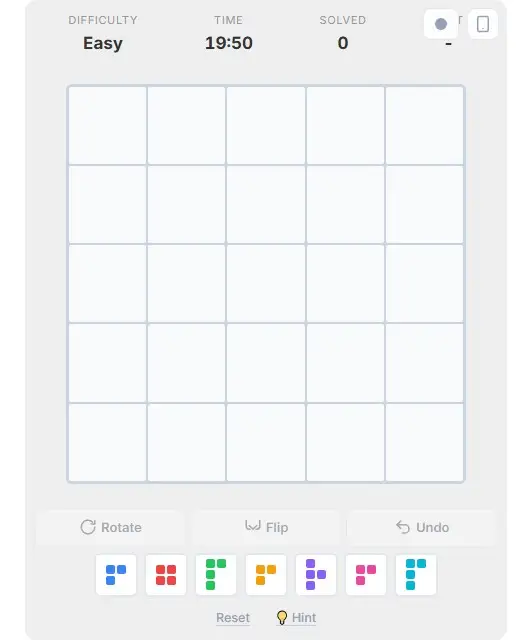
Pick a piece from the tray. Each level gives you a set of polyomino blocks; the tray below the board shows every piece still unplaced.
Rotate and flip to fit. Select a piece, then use the Rotate and Flip buttons to cycle through its orientations until the shape looks right.
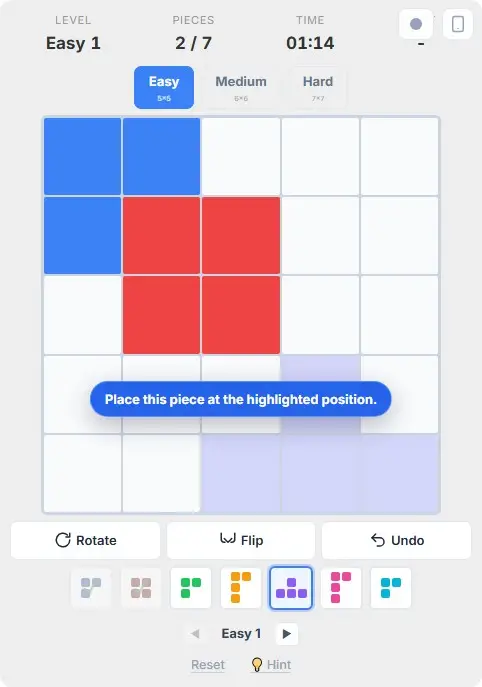
Place it on the board. Hover to see a live preview of where the piece will land — blue means it fits, grey means it does not — then click to drop it. Click a placed piece to pick it back up if you change your mind.
Undo freely. The Undo button rolls back your last placement, so experimenting is always safe.
Fill every cell to finish. The level is complete when the board is fully covered with no gaps and no overlaps.
L-Pair Rules at a Glance
| Rule | Detail |
|---|---|
| Pieces | L-shaped and other polyomino blocks (edge-joined squares) |
| Placement | Click to place, click to pick back up; live placement preview |
| Orientation | Rotate and Flip buttons adjust each piece |
| Undo | Rolls back the last placement |
| Win condition | Fill every board cell — no gaps, no overlaps |
| Difficulty | Easy 5×5 / Medium 6×6 / Hard 7×7 boards, 20 levels each |
| Normal Mode | Level-by-level practice, per-level best time, nothing submitted |
| Rank Mode | 20-minute challenge, random levels of one difficulty, score submitted |
| Hint | Highlights where the next piece belongs; 60-second cooldown between hints |
| Cost & access | Free, no download, no sign-up |
Strategy Tips
Place the largest pieces first. Big blocks are the hardest to fit late, so anchor them early and let the small pieces fill the cracks.
Use corners and edges as anchors. Tucking a large piece into a corner reduces its footprint and leaves cleaner space in the middle.
Watch the holes you create. An awkward single-cell gap is a dead end unless a piece can reach it — keep the remaining space connected and chunky.
Rotate before you relocate. Try every orientation in place before moving a piece somewhere else; the preview makes trial-and-error cheap.
Game Modes in Detail
Normal Mode — Level-by-Level Practice
Normal Mode is the classic campaign: pick a difficulty and work through 20 hand-designed levels per difficulty, from Easy 5×5 boards to Hard 7×7. There is no countdown and nothing is submitted — it is just you and the tiling.
Level navigation. The arrows under the tray move between levels; solved best times are saved per difficulty so you can chase your own records.
Live stats. The header shows the current level, pieces placed out of the total, and your elapsed time.
Stuck? Tap Hint to highlight where the next piece belongs (60-second cooldown), or Reset to rebuild the level from scratch.
Rank Mode — the 20-Minute Challenge
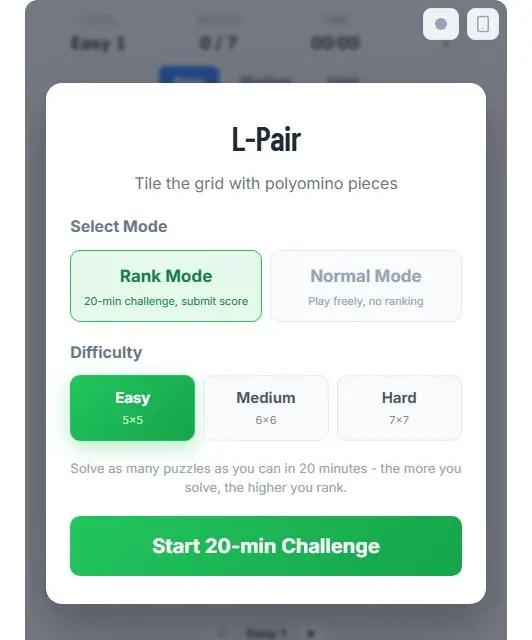
Rank Mode turns tiling into a race: pick a difficulty, then solve as many random levels of that difficulty as you can inside a 20-minute countdown. The moment a board is completed the next level loads automatically — the clock never stops.
Random levels, one difficulty. The difficulty you choose on the start panel locks in for the whole run; every board is drawn at random from that pool.
Live scoreboard. The header shows the difficulty, remaining time and Solved count — the timer turns red in the final minute.
Submit your score. When the clock hits zero the results panel shows your Solved count and personal best — press Submit Score to publish it (you will be asked to log in first if you are not).
Scoring Rules
Rank Mode scoring: every level completed within the 20-minute limit adds +1 to your score. Time spent on a board is the only cost of a hard level — accuracy is what counts.
Leaderboards are per difficulty. An Easy run competes on the Easy board, a Hard run on the Hard board — the three difficulties (easy / medium / hard) are separate ranked events with the same 20-minute format.
Submitting: when time runs out, press Submit Score on the results panel. You need to be logged in; if you are not, a login window appears first and your submission continues automatically after you sign in.
Personal best: your best score for each difficulty is saved, and the results panel flags 🎉 New Record! the moment you beat it.
Normal Mode scoring: none. Normal Mode is pure practice — no score, no countdown and nothing is sent to the leaderboard.
L-Pair FAQ
Is L-Pair free?
Yes — it is completely free on this site. No paywall, no download and no account; open the page and start tiling.
What is a polyomino?
A polyomino is a flat shape formed by joining equal squares edge to edge — like dominoes (two squares), trominoes (three) and the L-shaped tetrominoes and pentominoes you place in L-Pair.
What is the difference between Normal Mode and Rank Mode?
Normal Mode is a level-by-level campaign: choose any difficulty, play the 20 levels in order, and chase your own best times. Rank Mode is a 20-minute challenge on random levels of one difficulty — every completed board adds a point to your leaderboard score. Pick Normal to relax, Rank to compete.
What do the difficulty levels change?
The board size: Easy is a 5×5 grid, Medium is 6×6 and Hard is 7×7. Bigger boards mean more pieces, more shapes to juggle and less room for trial and error — and in Rank Mode, less time per solved level.
What if I get stuck?
Tap Hint to see exactly where the next piece belongs (it runs on a 60-second cooldown), use Undo to step back through risky placements, or Reset to start the board over. Every level has a valid tiling, so rearranging usually unlocks it.